Animating in 2.5D

Making 2.5D spritesheets from 3D art can be automated in Blender.
I take my 3D characters, grab an animation from Mixamo, and end up with a regular 3D animation. The catch is that For the Common Wealth isn’t a 3D game. It’s 2.5D, so every single animation has to become a spritesheet.
Thankfully Blender can be driven entirely from Python. A script puts the Mixamo animation onto my character, sets up the same isometric camera the game uses, and renders every frame of the animation from each of the eight directions a character can face. Those frames are tiled into one sheet, and the game plays them back a row at a time.
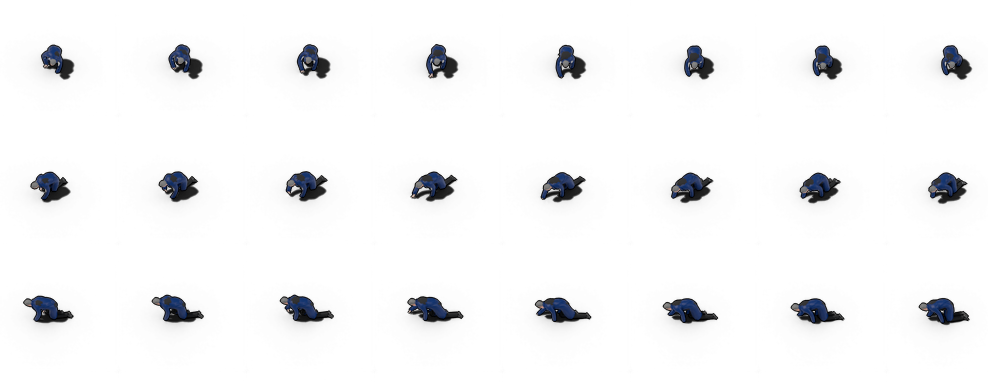
Each animation renders in its own headless Blender process, so I can queue up a whole batch of characters and animations and leave it running.
Blender is literally the difference between For the Common Wealth having bad graphics or not.
This technique works for all the animated sprites in the game, and in-game, the spritesheets are handled with a very simple function that is passed the number of rows and columns in the spritesheet. From that, based on the image size, a cell size is very simple to work out.
Then we have different functions for different types of animation like “looping”, “pingpong” and “occasional”.
These animated sprites are then treated like any other sprite, generally in the ordering layer.